 Greek
Greek
Please note that the following guide is intended for Enterprise Admins of Pre-Validated Organizations that have been registered in HARICA’s CertManager. Non-admin users should contact their respective Enterprise Admin and request the creation of an ACME endpoint.
1. Log in to HARICA’s CertManager.
2. Go to the Enterprise → Admin panel.
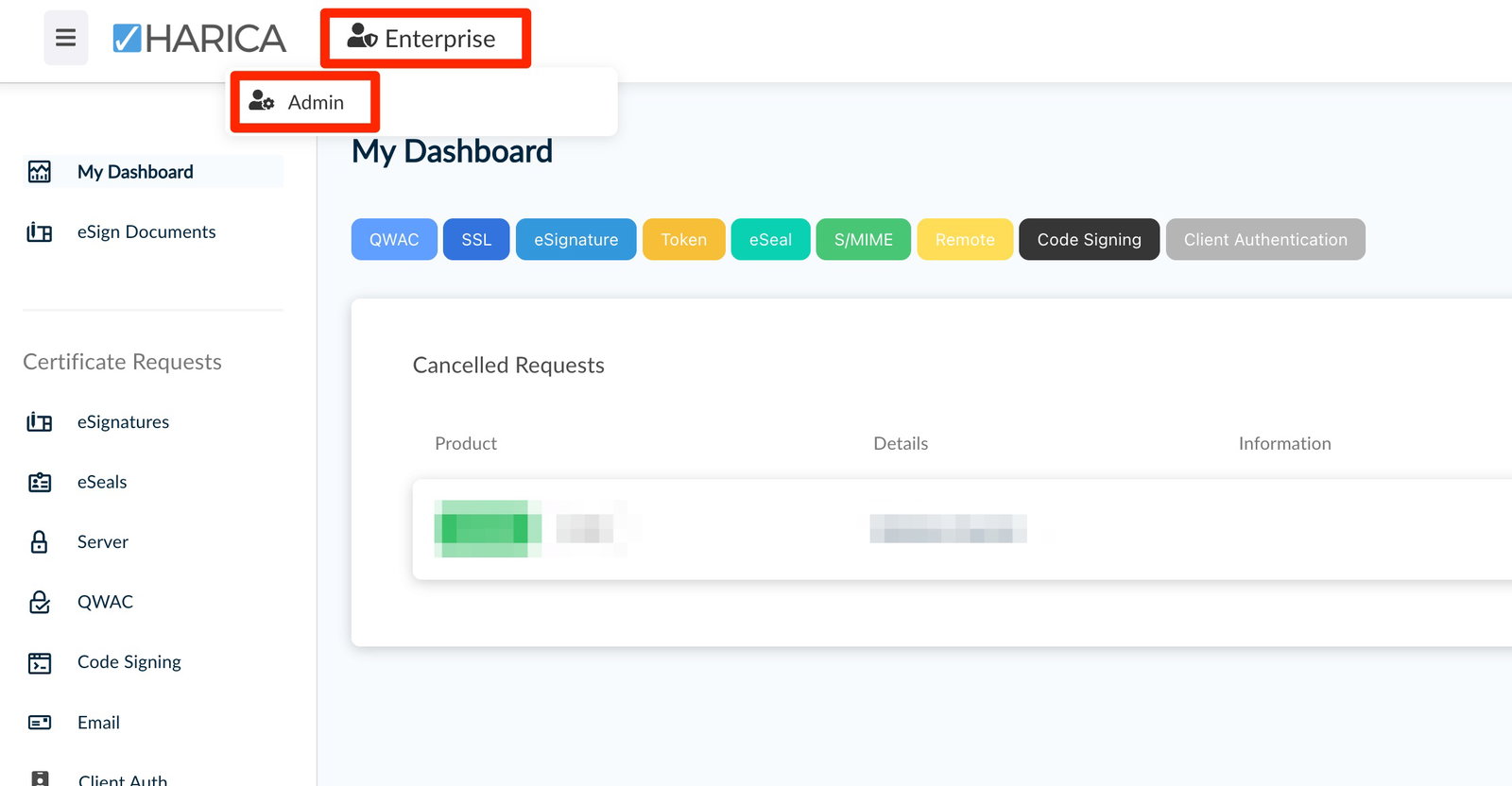
3. Navigate to ACME, and select Create.
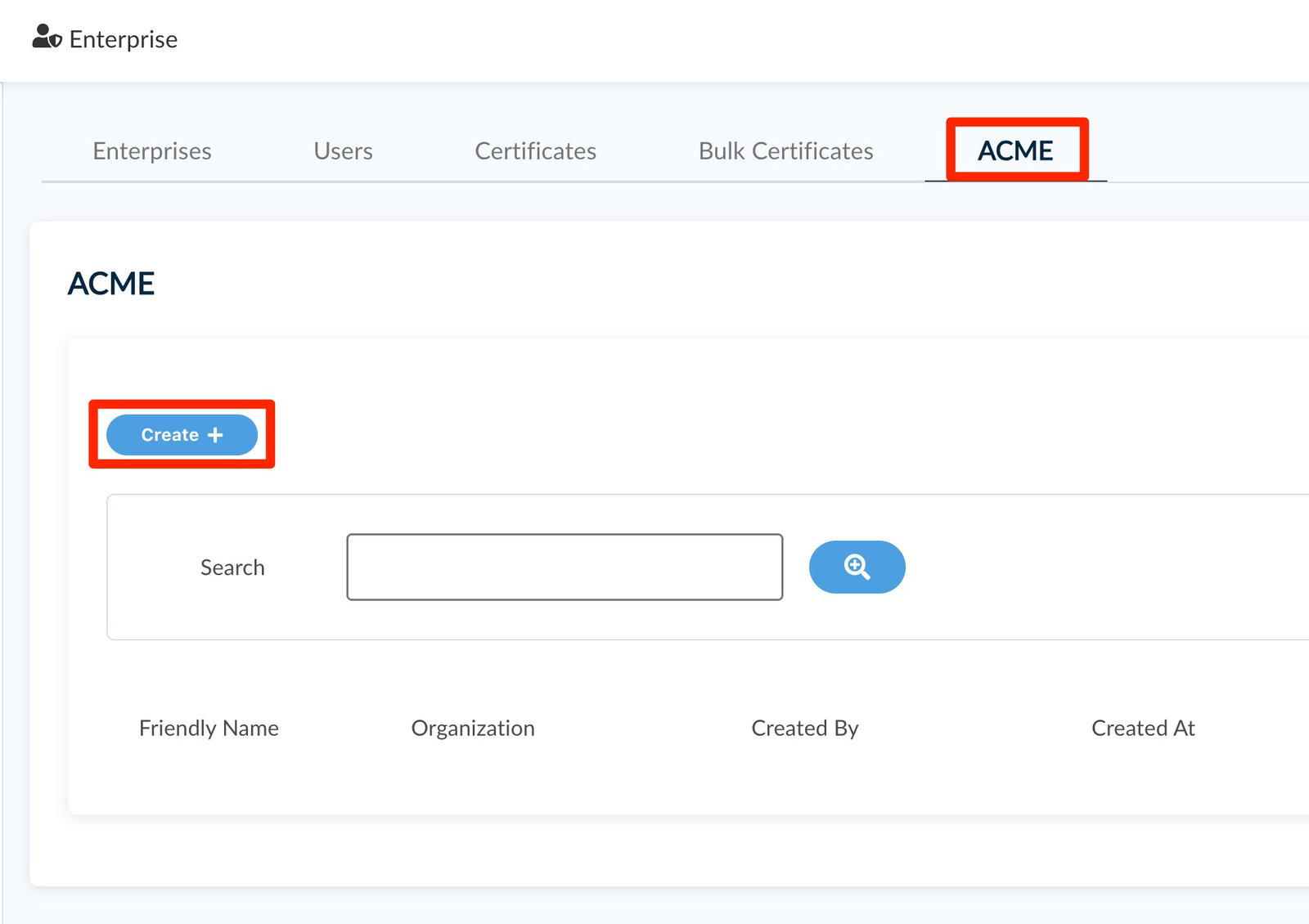
4. Choose the Organization under which you want to create the ACME endpoint (step 1), select the certificate validation level (step 2), enter a friendly name to identify the endpoint (step 3), accept HARICA’s Terms and Conditions, and click Create.
Please note: HARICA offers the following validation levels for its ACME service: DV, OV, EV, QWAC OV, QWAC EV. Your Organization must perform an identity validation at the appropriate validation level in order for it to appear in the drop-down menu. Please contact HARICA’s support for additional information on how to enable the additional validation levels.
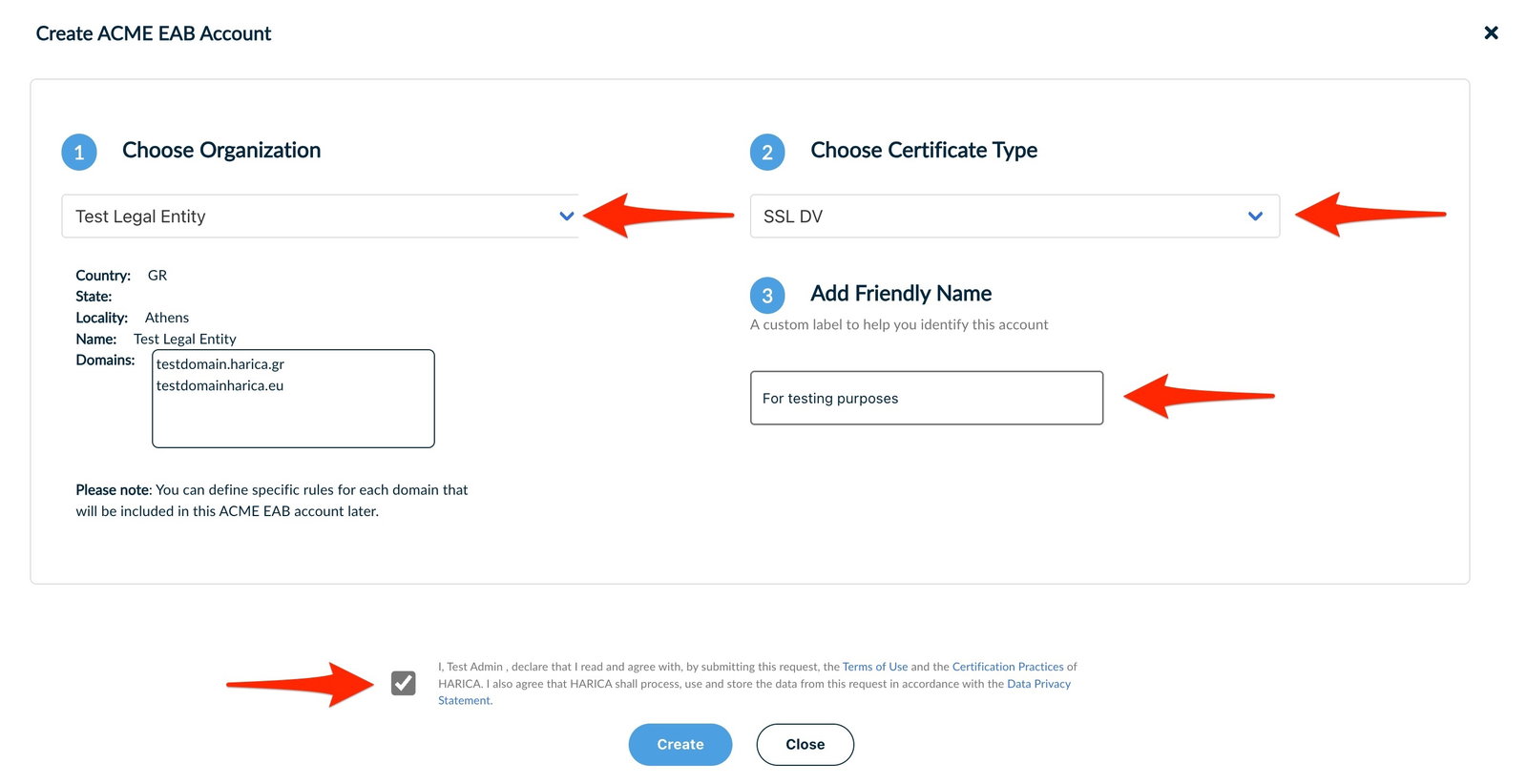
5. Your endpoint has been created and the respective EAB (External Account Binding) can be viewed in the Details tab along with additional information.
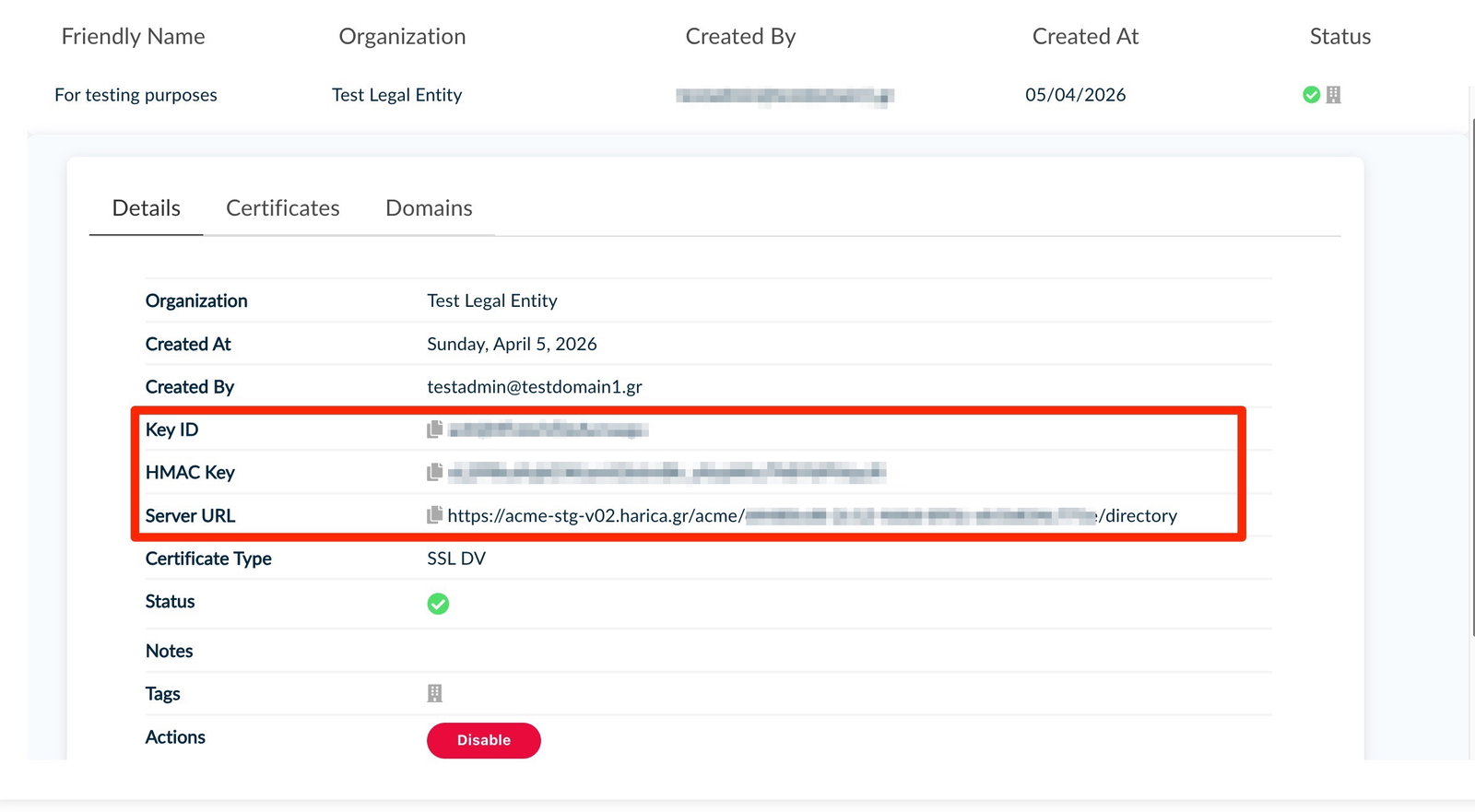
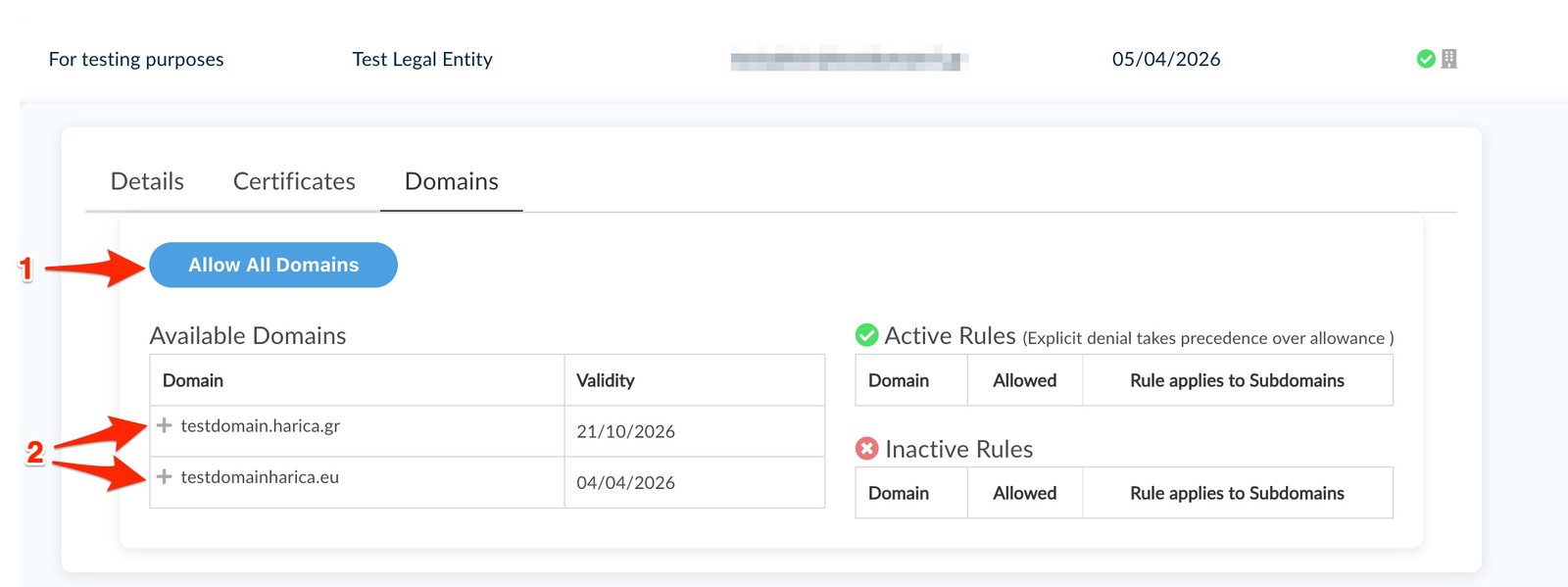
6. Choose the Domains to set the mandatory domain rules in order to use the EAB. You will see a list of the onboarded domains under your Organization that you can assign to the specific EAB. You have the option to:
- whitelist all available domains (1) , or
- by clicking the + character (2) in front of each domain, you can whitelist the use of the whole domain or whitelist/blacklist specific subdomains.
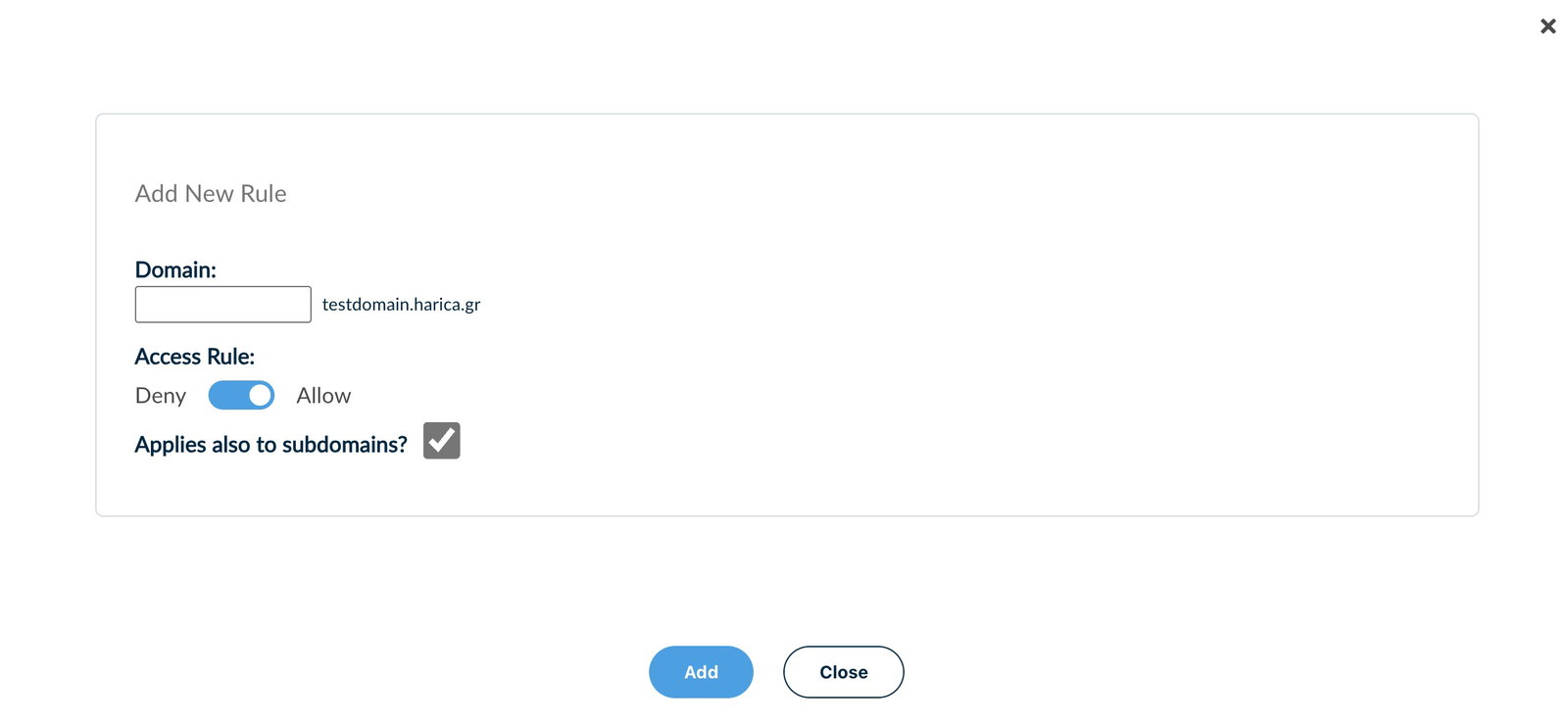
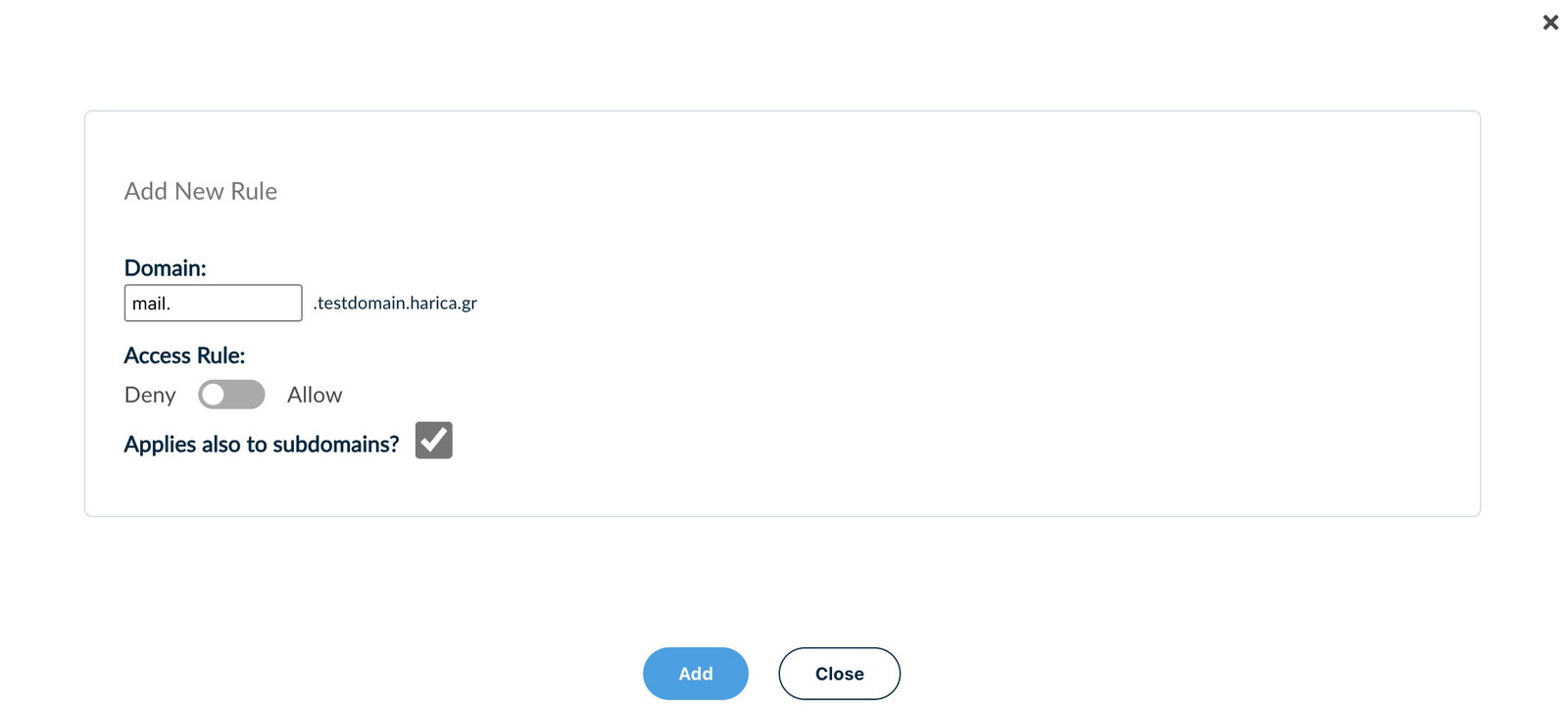
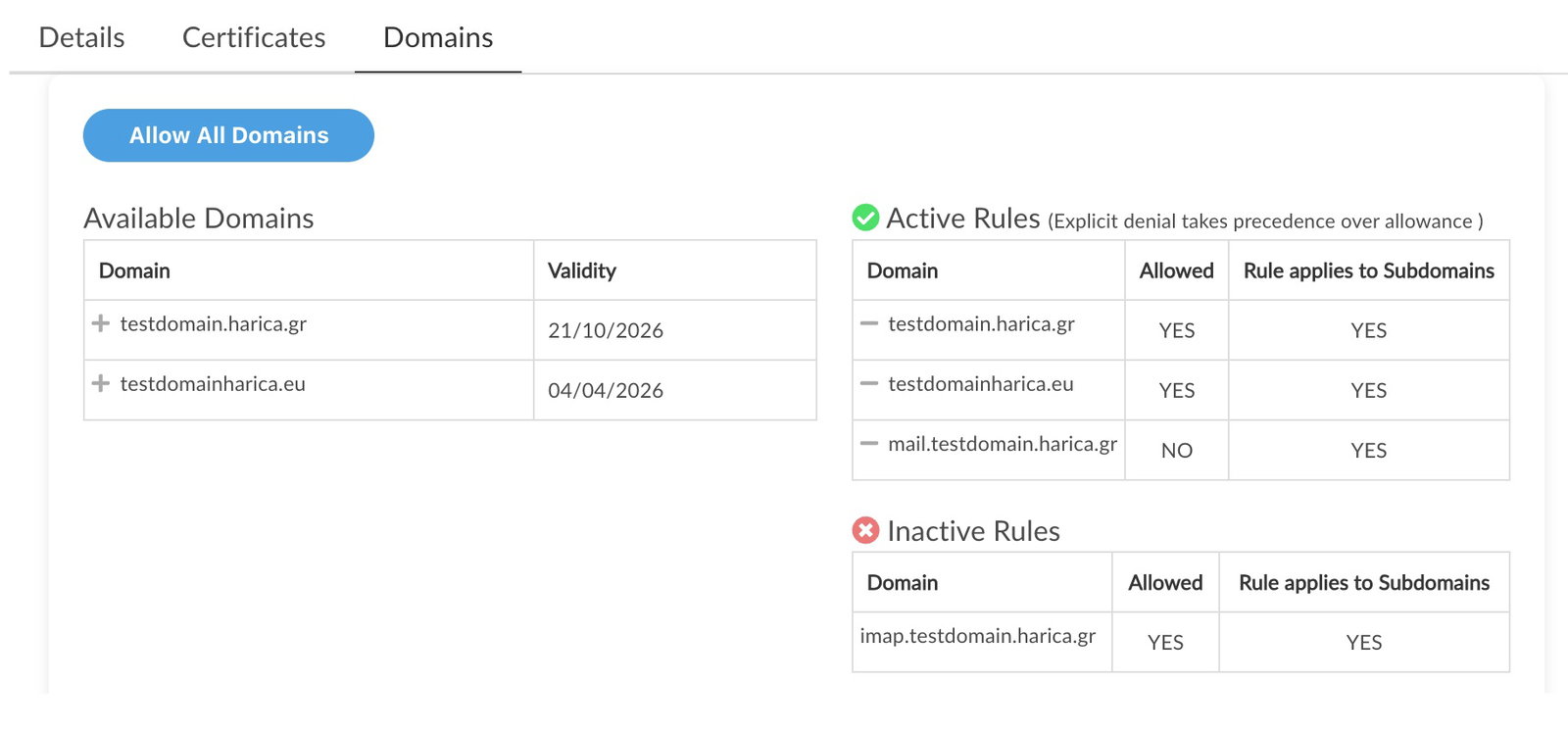
7. You can always view your active rules, add new ones, or disable existing ones by clicking the – character.
Example:
The EAB below can issue certificates to testdomain.harica.gr, testdomain.harica.eu, and their subdomains, with the exception of mail.testdomain.harica.gr.
The rule for imap.testdomain.harica.gr was previously active but has since been disabled and is shown here for historical reference.
“Rule applies to Subdomains” indicates that the same allow or deny rule applied to a domain also extends to all of its subdomains. In the example below, mail.testdomain.harica.gr is not allowed, and neither are any of its subdomains.
Pre-validated Domains and ACME Challenges
The HARICA Flexible ACME service will not initiate an ACME challenge for domains that already have an active Domain Control Validation (DCV) in CertManager. Using the example above, a request for testdomain.harica.gr will leverage the existing DCV and no ACME challenge will be triggered, whereas a request for testdomain.harica.eu will require an HTTP-01 or DNS-01 challenge to be completed.


